Tap to Pay: Why Your Phone Is Safer Than Your Card
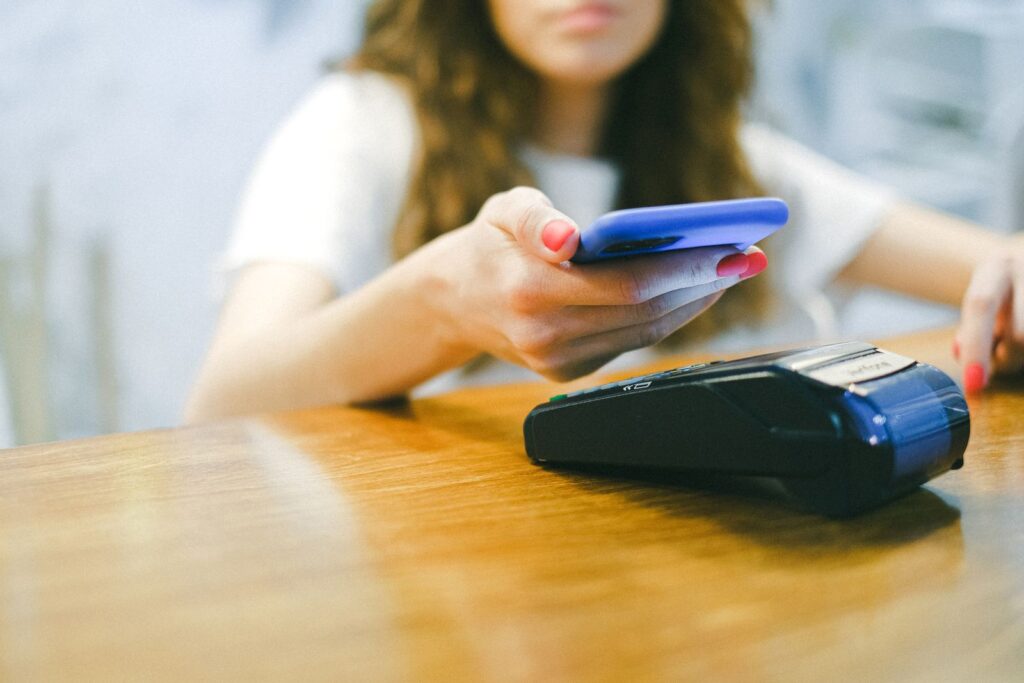
You are at the checkout, the card reader lights up, and the person ahead of you simply holds their phone near it for a second and walks away. No swipe, no chip, no awkward “is it done yet?” dance. If you have ever wondered whether paying that way is actually safe — or whether it is some risky shortcut that will empty your bank account the moment you are not looking — you are asking exactly the right question. The reassuring answer is that tap to pay is not just convenient. It is genuinely more secure than handing over or swiping your physical card.
Quick takeaway: When you tap to pay with your phone, your real card number is never shared with the store. Your phone sends a one-time, scrambled code instead, and the payment only works after you unlock the phone with your face, fingerprint, or PIN. That combination makes tap to pay harder to steal from than a traditional card swipe.
What This Means in Plain English
When you add a card to Apple Pay, Google Wallet, or Samsung Wallet, your phone does not actually store your card number to hand out at checkout. Instead, it creates a stand-in number — often called a token — that represents your card without revealing it. Think of it as a nickname for your account that only your bank can translate back to the real thing.
Each time you tap, your phone generates a unique, one-time code tied to that token. The store sees the code, passes it along, and your bank approves the payment, but the merchant never learns your real card number. It is a little like sending a sealed, single-use envelope instead of reading your account number aloud across the counter.
Why It Is Safer Than Your Card
A physical card is surprisingly chatty. Your full card number is printed right on it, stored in its magnetic stripe, and handed to every cashier and card reader you meet. Anyone who skims the stripe, photographs the card, or breaches a store’s system can potentially reuse those exact numbers. Tap to pay closes several of those doors at once.
- Your real number stays hidden: Merchants receive the token and a one-time code, not the digits on your card. A breach of the store’s records does not expose your actual account.
- The code only works once: Because each tap uses a fresh, single-use code, a thief who somehow intercepts one cannot replay it to buy anything later.
- Your phone adds a bouncer: A swiped card does not care who is holding it. A tap-to-pay transaction will not go through until you unlock the phone with your fingerprint, face, or PIN, so a lost phone is not an open wallet.
- No skimmers to worry about: Because nothing is inserted or swiped, the hidden card-skimming gadgets criminals attach to gas pumps and ATMs have nothing to grab.
For shoppers in the Denver metro and surrounding areas, that means the same quick tap you already see at the grocery store is quietly doing more to protect you than the old swipe ever did.
What People Often Get Wrong
Tap to pay is newer than the trusty plastic card, so a few worries follow it around:
- “Someone could bump into me and charge my phone.” Not really. The reader has to be within an inch or so, and nothing happens until you unlock the phone and confirm the payment. A passing brush in a crowd will not do it.
- “If I lose my phone, they can spend freely.” The opposite is usually true. Your cards are protected behind your phone’s lock, and you can remotely freeze or wipe the device. A lost wallet full of cards is the bigger problem.
- “The store can see all my card details.” They cannot. That is the whole point of the token — the merchant never receives your actual card number.
- “Tap to pay drains my data or needs the internet.” The tap itself uses a short-range wireless signal, not your data plan, and works even when your signal is weak.
How to Set Up and Use Tap to Pay Safely
Getting started takes just a few minutes, and the safety habits are mostly common sense.
Add Your Card to a Wallet App
Open the wallet app that came with your phone — Apple Wallet on an iPhone, Google Wallet on Android, or Samsung Wallet on Samsung devices. Tap to add a card, then either scan it with the camera or type in the details. Your bank may send a quick verification code to confirm it is really you. Once the card is added, you are ready to pay.
Lock Your Phone With Something Strong
Because your phone’s lock is what protects your cards, make it a good one. Use a fingerprint, face unlock, or a six-digit (or longer) PIN rather than a simple 1234. This single setting is what turns a lost phone from a worry into a minor inconvenience.
Pay With a Quick Tap
At checkout, choose to pay with your phone, hold it near the reader, and confirm with your fingerprint, face, or PIN. You will usually feel a buzz or see a checkmark when it is done. Returns and receipts work just like any card payment, so there is nothing new to learn there.
Ronin Tip: Add your card to your phone before you need it, not while a line forms behind you at the register. Do it once at home, make a tiny test purchase, and you will breeze through every checkout afterward. New habits are easier when the first try is not a public performance.
A Real-World Example
Imagine your physical card number leaks in a data breach at a restaurant you visited months ago. If you had swiped that card, the leaked digits could be reused until you notice and cancel it. With tap to pay, the restaurant only ever received a one-time token, so the numbers on your real card were never on the table to steal in the first place.
The same protection follows you to the gas pump, the coffee shop, and the online store that accepts wallet payments. Each tap or click sends a stand-in code, not the keys to your account.
What You Can Do Today
You do not need to change everything at once. A few small steps cover most of the benefit:
- Set up your wallet app: Add one card to Apple Pay, Google Wallet, or Samsung Wallet and make a small test purchase.
- Strengthen your phone lock: Turn on fingerprint or face unlock and use a longer PIN, since that lock now guards your payments.
- Tap instead of swipe: When a reader supports it, choose your phone. The hidden token protects your real card number every time.
- Know how to find your phone: Set up Find My iPhone or Find My Device so you can freeze or erase a lost phone quickly.
- Keep watching your statements: Tap to pay is safer, but reviewing your bank activity now and then is always a smart habit.
When to Get Help
If adding a card, setting up a phone lock, or turning on the “find my phone” features feels fiddly, there is no shame in asking someone to walk through the first one with you. A trusted family member, friend, or local tech can get you tapping with confidence in a few minutes, and after that first setup it becomes second nature.
The Bottom Line
Tap to pay manages a rare trick: it is both faster and safer than the card it replaces. Your real number stays hidden behind a one-time token, your phone’s lock stands guard, and the skimmers and swipe-readers that criminals rely on come away empty-handed. Once your card is set up and your phone is locked down properly, that quick tap at the register is one of the easiest security upgrades you can make.
So the next time the reader lights up, you can tap with a clear conscience — and maybe a small, private feeling of being a step ahead. Your wallet, and your peace of mind, will thank you.
Want a Hand From a Local Tech?
If you would rather have someone set this up with you, that is what we do. Technology Ronin offers friendly home IT & tech support for homes and small businesses in the Denver metro and surrounding areas, onsite or remote. We can help you add your cards, secure your phone, and get comfortable paying with a tap.
Quick Questions
Is tap to pay safe to use?
Yes. Your real card number is never shared with the store, each payment uses a one-time code, and nothing goes through until you unlock your phone. That makes it safer than a normal card swipe.
What happens if I lose my phone?
Your cards stay protected behind your phone’s lock, and you can use Find My iPhone or Find My Device to freeze or erase the phone remotely. It is safer than losing a wallet full of cards.
Do I need an internet connection to tap to pay?
No. The tap uses a short-range wireless signal built into your phone, so it works even when your data signal is weak.
Helpful Resources
For readers who want to learn more, these trusted resources are a good place to start: